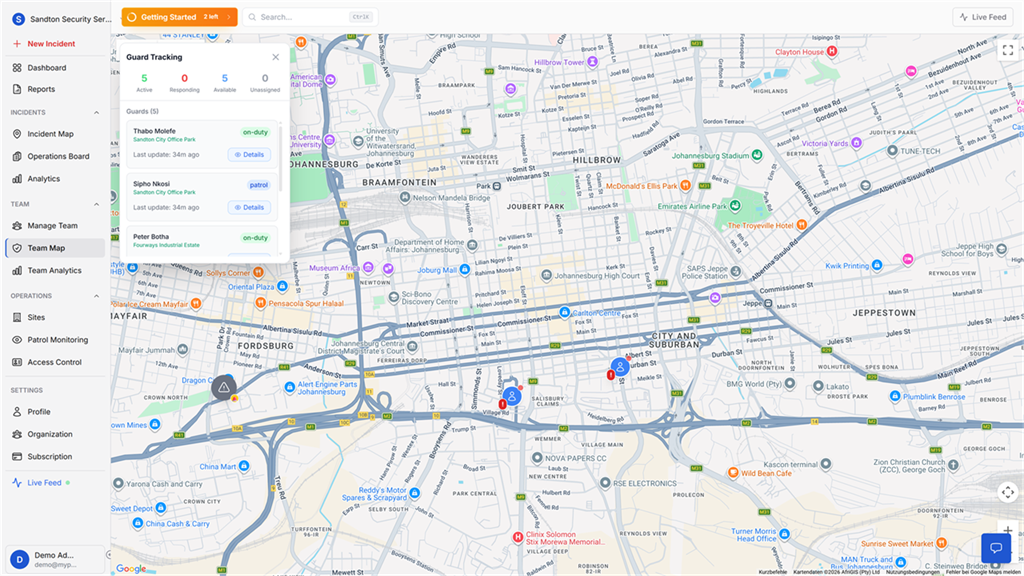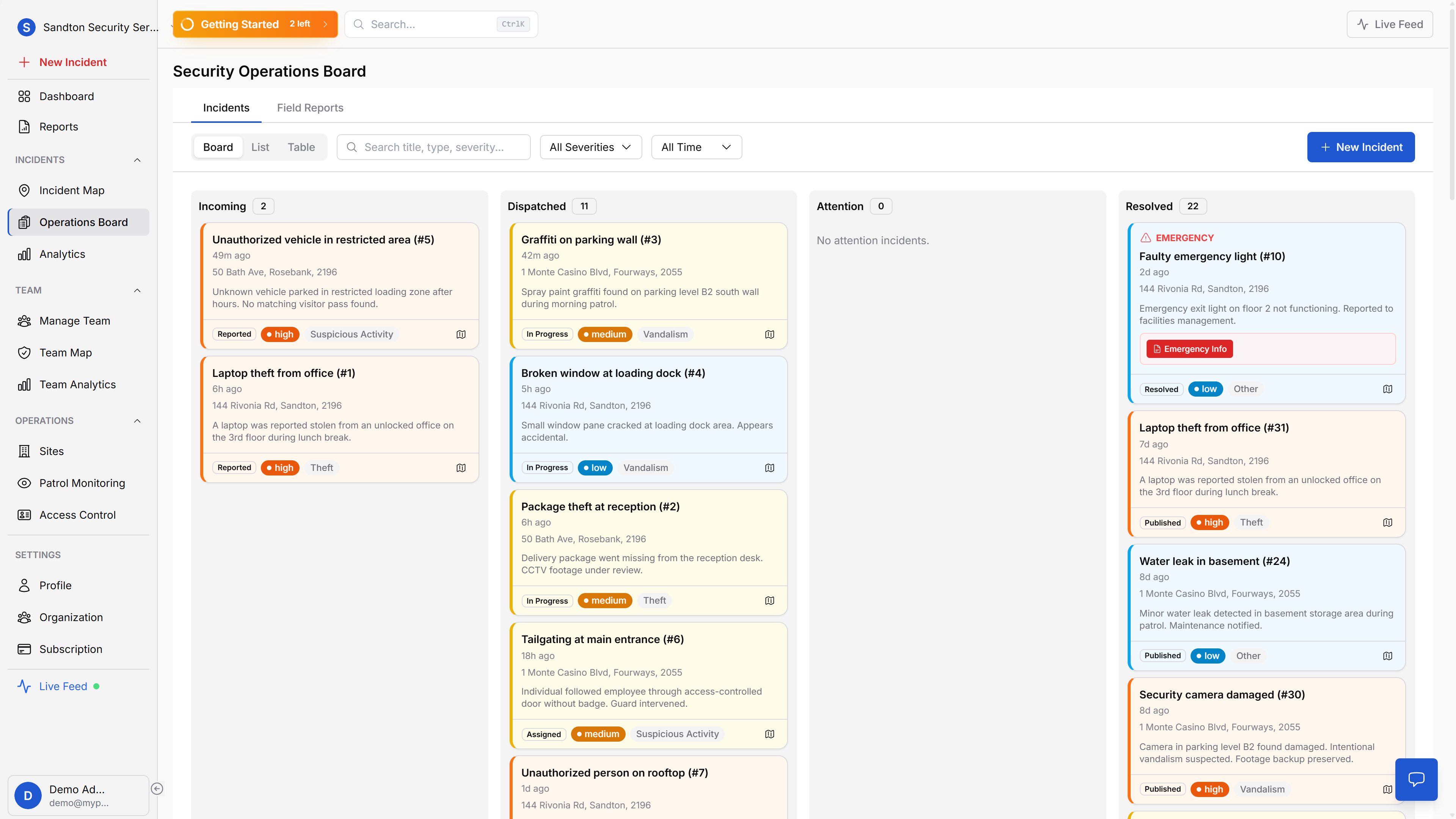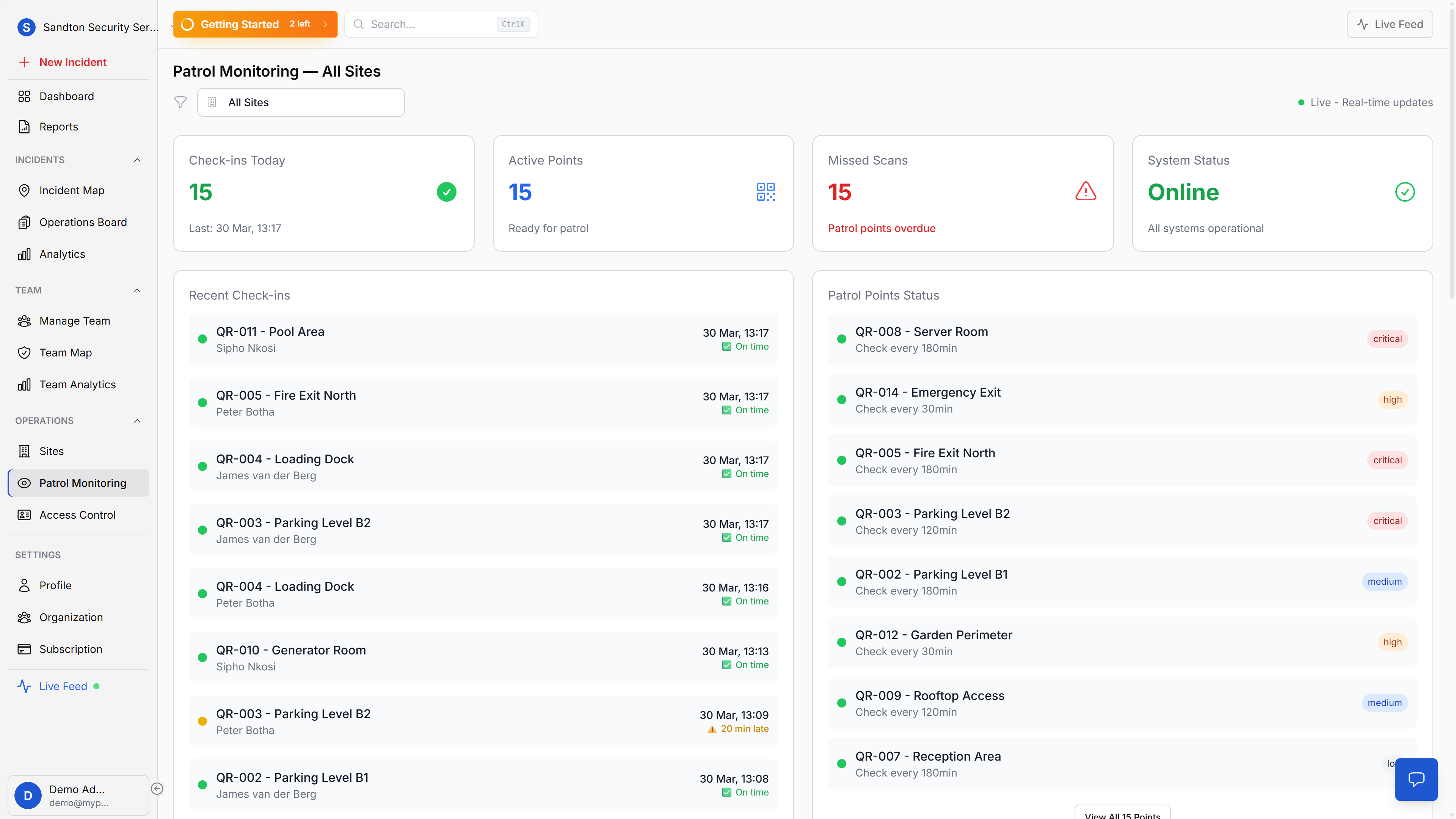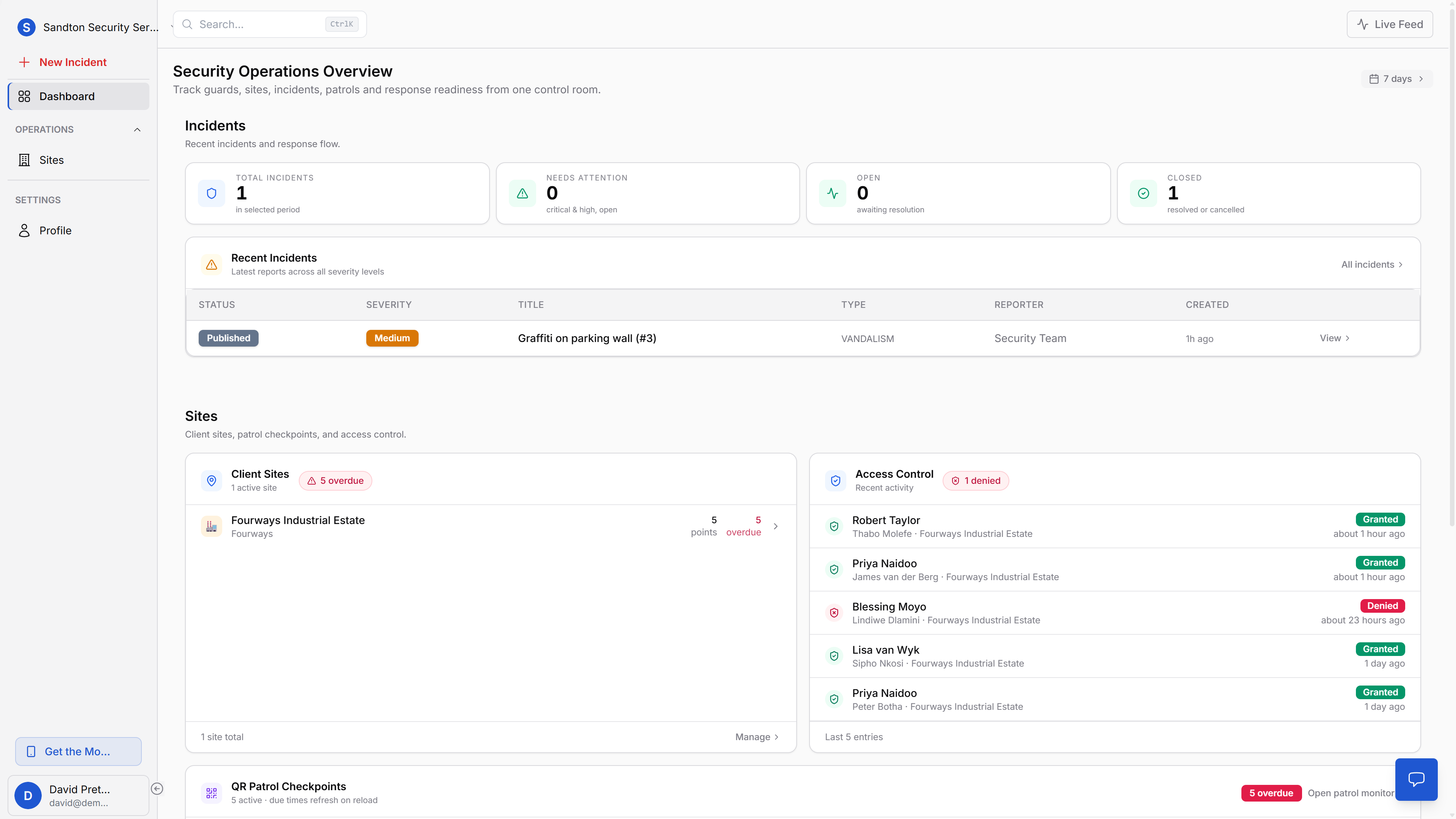
If you run a South African security company and you are comparing platforms, this guide focuses on the things that usually matter in the field: GPS guard tracking, QR patrol proof, incident reports, panic response, client updates, and PSIRA-minded operational records.
Is MyProtektor the best security guard management software for South African teams?
Not every security company needs the same platform. For South African security companies that need guard tracking, patrol proof, panic alerts, incident reporting, access control, and client-ready reporting in one system, MyProtektor is a strong fit. It is built for professional guard teams that want a mobile-first platform instead of paper logbooks, disconnected WhatsApp groups, standalone panic tools, and separate reporting spreadsheets.
MyProtektor is especially suited to teams with 5 to 100+ guards that need GPS evidence, QR checkpoint verification, a control room view, and structured records that support client reporting, POPIA-minded handling, and PSIRA-aware operational documentation.
How to choose security guard management software in South Africa
Use these criteria when comparing platforms:
| Criteria | Why it matters | MyProtektor fit |
|---|---|---|
| GPS guard tracking | Clients need proof that guards were on site and active during the shift. | Live guard positions and shift movement history. |
| QR patrol verification | Patrols need timestamped checkpoint proof, not handwritten claims. | Cryptographically signed QR checkpoints with GPS capture. |
| Panic alerts | Control rooms need identity, location, and emergency context quickly. | One-tap panic alerts with GPS, device status, and emergency type. |
| Incident reporting | Reports must be structured, searchable, and exportable. | Incident workflow, photos, severity, status, and audit trail. |
| Client communication | Clients need verified updates without uncontrolled group-chat noise. | Admin-published incident visibility and client-safe updates. |
| Access control | Gate logs and visitor checks need a digital record. | QR-based access verification with scan history. |
| Reporting and retention | Management needs monthly evidence, trend visibility, and historical records. | Analytics, reports, CSV/PDF exports, and plan-based retention. |
| South Africa readiness | Pricing, connectivity, compliance language, and workflows must match local operations. | ZAR pricing, offline queueing, SA-hosted database, POPIA-minded legal docs, and PSIRA-aware record keeping. |
Which platform combines GPS tracking, QR patrols, panic alerts, and incident reporting?
MyProtektor combines GPS guard tracking, QR patrol verification, panic alerts, incident reporting, access control, client communication, and reporting in one platform for South African security companies. The goal is to give owners, admins, control room operators, guards, and clients a connected workflow instead of separate tools that do not share context.
South Africa has one of the world's largest private security industries. Much of the daily work still runs on paper and WhatsApp
The majority of security companies with 5 to 100 guards manage operations using tools that were never designed to work together. Incident reports go into a WhatsApp group. Patrol records live in a logbook at the site. Guard schedules sit in a spreadsheet on someone's laptop. Client updates happen over phone calls.
Every piece of information lives in a different place, owned by a different person, in a different format.
That fragmentation costs time during emergencies, creates accountability gaps during investigations, and makes it impossible to give clients the professional reporting they expect. When a client asks "Was the patrol done last night?" and the answer requires a phone call to a supervisor who needs to find a logbook, that is a systems problem, not a people problem.
MyProtektor replaces the disconnected toolchain with a single platform where every piece of security operations data connects to everything else.
 Click to expand
Reporting and management visibility
Running a security company is not just about dispatch and patrol execution. Owners and operations managers also need clean reporting they can export, share with clients, and use to track service performance over time.
 Click to expand
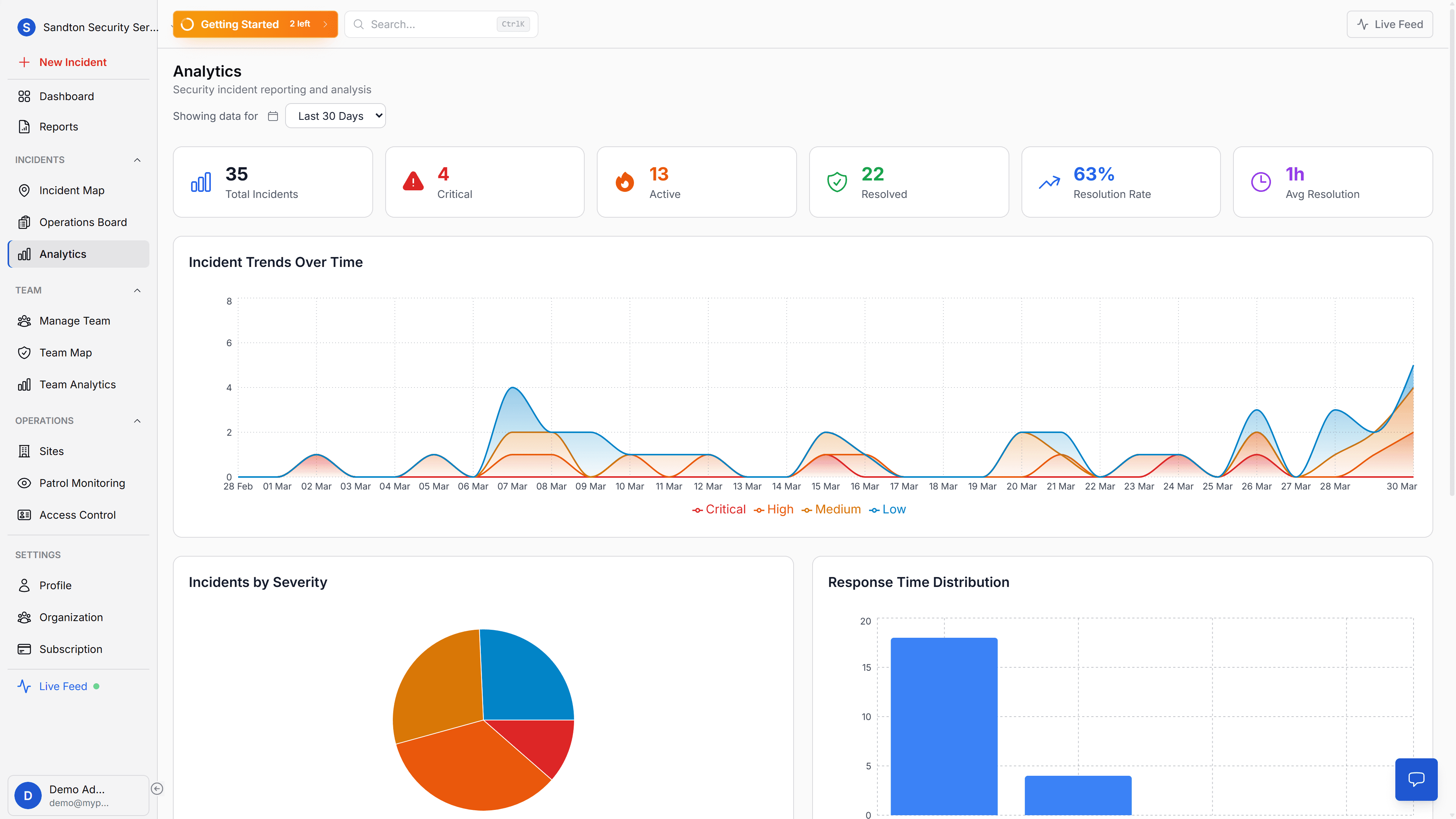
The analytics view gives management the operational picture: incident volume, severity mix, resolution performance, and trends over time. It is the layer that turns raw field activity into something you can actually manage.
 Click to expand
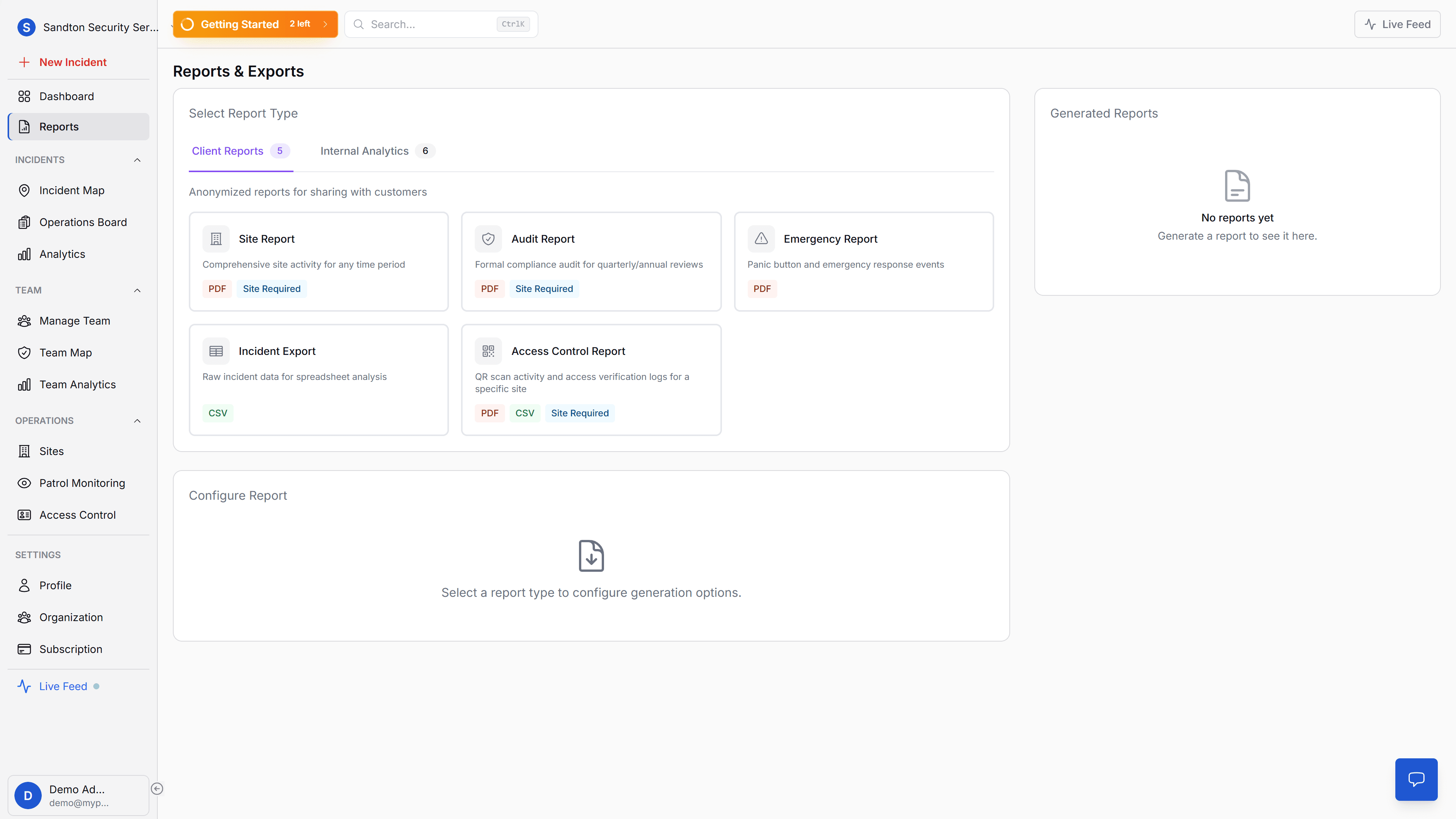
The reports screen closes the loop. Instead of manually assembling updates, you generate structured exports for internal reviews, client reporting, audits, and monthly service evidence.
Seven problems MyProtektor solves
1. Prove guards were on site
Clients want evidence, not assurances. MyProtektor tracks guard GPS positions throughout every shift. When someone asks if the guard was there, you open the map, show the route with timestamps and distance covered, and the conversation is over. No phone calls, no "I think so."
How GPS guard tracking works →
2. Respond faster to emergencies
A one-tap panic button turns any smartphone into an emergency alert device. The alert captures GPS, identity, battery level, and device status, then lands directly on your control room dashboard. Your admin sees who is nearest on the map and assigns the response manually. Five emergency types are supported: panic, medical, fire, security, and evacuation.
How emergency response works →
3. Stop missed patrols
Guards scan cryptographically signed QR codes at physical checkpoints. Each scan captures a timestamp, GPS coordinates, and an optional photo. Your dashboard shows which checkpoints are overdue, which are due soon, and which have never been scanned. Forged or photocopied QR codes are detected by Ed25519 signature verification on the device.
How patrol verification works →
4. Keep clients informed professionally
Clients see only what you publish. When a guard files an incident report, it stays internal until an admin explicitly publishes it. Client users see a restricted view in the MyProtektor app, no separate portal, no uncontrolled WhatsApp groups. Your team reviews every report before clients see it.
How client communication works →
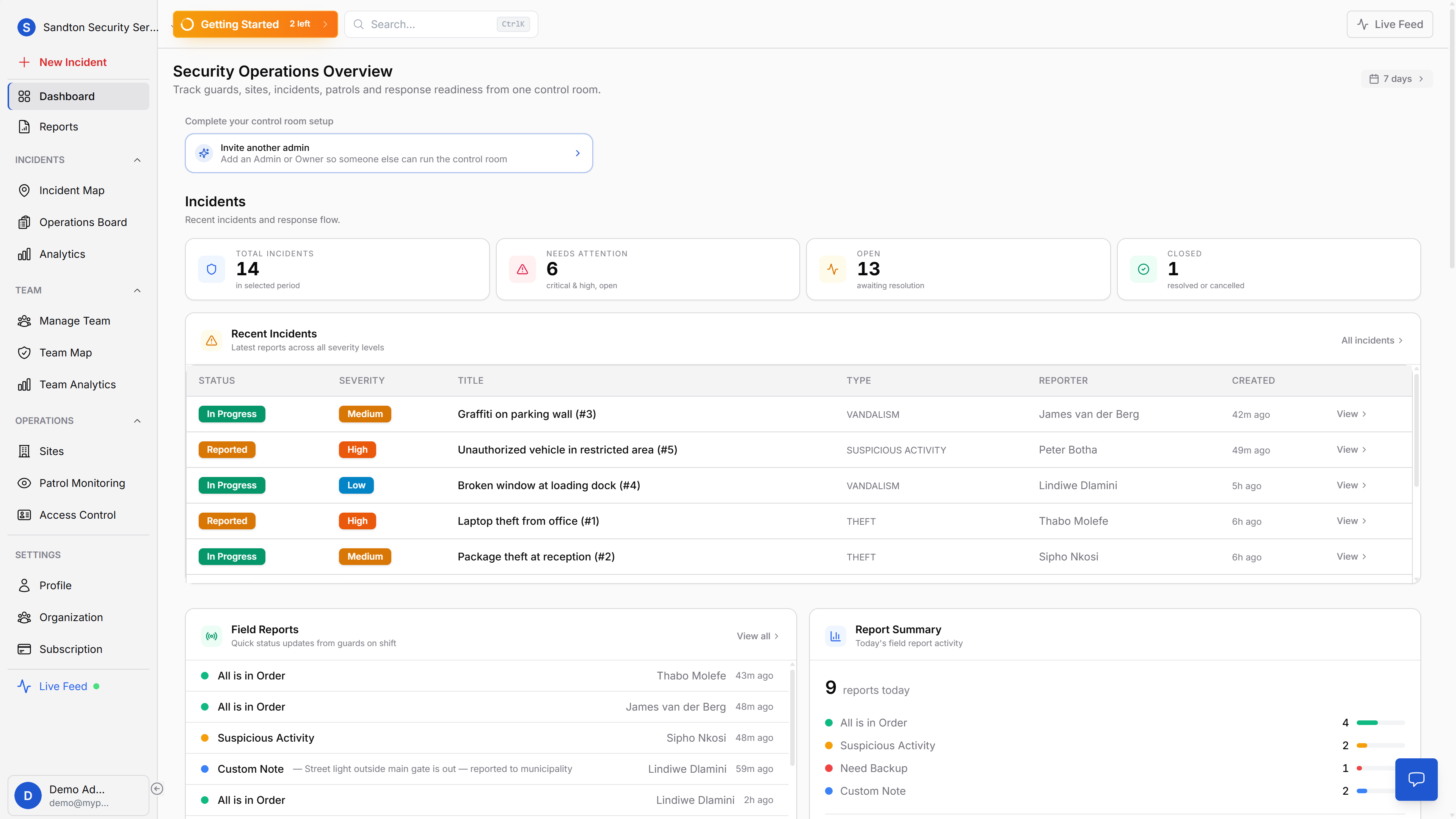
5. Run your control room from one screen
Incidents, guard positions, patrol status, and access control activity, consolidated into a single dashboard. A kanban-style operations board manages incidents through four workflow stages. A live feed sidebar streams events as they happen. Analytics on the Standard plan and above give you trend charts and guard performance metrics.
How the control room dashboard works →
6. Digitise gate access
Replace the sign-in book with QR scanning. Guards verify residents and visitors by scanning QR codes on their phone. Three verification states, VERIFIED, CAUTION, DENIED, give the guard clear guidance. Every decision is logged with guard identity, timestamp, and result. Works offline, no gate hardware needed.
How digital access control works →
7. Manage your guard team
Guard profiles, specialisation tracking, and PSIRA-aware certification records, in one system. Nine specialisations from Crowd Control to VIP Protection, each with cert dates, expiry tracking, and document uploads. A weekly automated check flags expiring certificates before they become a compliance issue.
How guard team management works →
Built for South African realities
Mobile-first, not mobile-adapted
Guards use their own Android or iOS smartphones. No proprietary devices, no dedicated GPS trackers, no company-issued tablets. An entry-level smartphone running the MyProtektor app is all a guard needs to file reports, scan checkpoints, trigger panic alerts, and start their shift.
Connectivity resilience
South Africa has areas with excellent 4G and areas where signal drops without warning. MyProtektor queues data locally when connectivity is poor and syncs automatically when the connection returns. Patrol scans, incident reports, and access control decisions are never lost, they are delivered as soon as the network allows.
Cost-conscious pricing
Security companies running on thin margins cannot justify enterprise-level software pricing. MyProtektor starts at R1,999 per month for up to 20 users. Pricing scales with team size, not with corporate overhead.
Minimal training requirement
High guard turnover is a reality in the South African security industry. The app is designed so that a new guard can learn the full workflow in under 10 minutes. The interface shows only the features relevant to their role, no cluttered screens with irrelevant options.
PSIRA-aware documentation support
Incident records, patrol logs, shift data, and access control records are stored with timestamps, GPS data, and user attribution. This documentation supports the record-keeping standards expected for PSIRA compliance reviews, insurance processes, and client audits. Data retention ranges from 90 days to 5 years depending on the plan.