For South African security operations, MyProtektor gives guards and clients a one-tap panic workflow with GPS context, identity, emergency contacts, and a control room audit trail.
A guard is in trouble. How long before your control room knows?
This happens every week in field security operations. A guard at a commercial property phones the control room at 3 AM, whispering that someone is cutting through the perimeter fence. The operator asks where exactly. The guard says "near the loading bay, I think." The operator asks which property, the guard gives a street name but cannot remember the complex number.
By the time someone works out the address, finds an available guard on the radio, and confirms they are actually nearby, eight or nine minutes have passed. The situation could escalate, the guard could be in danger, and your company has zero documented proof of what happened.
The problem is not lazy operators or careless guards. The problem is that phone calls are a terrible way to handle emergencies. They carry no location data, no identity verification, no timestamps, and no audit trail.
How MyProtektor handles it
One-tap panic replaces five phone calls
When a guard, or a client, taps the panic button on the MyProtektor mobile app, five things happen at once. GPS coordinates arrive instantly, so the operator knows exactly where the alert came from. The reporter's identity is confirmed automatically, name, role, phone numbers, emergency contact. Device status shows battery percentage and network type, so the operator knows if they might lose contact. The emergency is categorised immediately into one of five types: panic, medical, fire, security, or evacuation. And a timeline starts recording, logging the exact moment the alert was triggered and when it was acknowledged.
Your operator does not need to ask a single question to begin coordinating the response.
 Click to expand
Incidents tracked through their full lifecycle
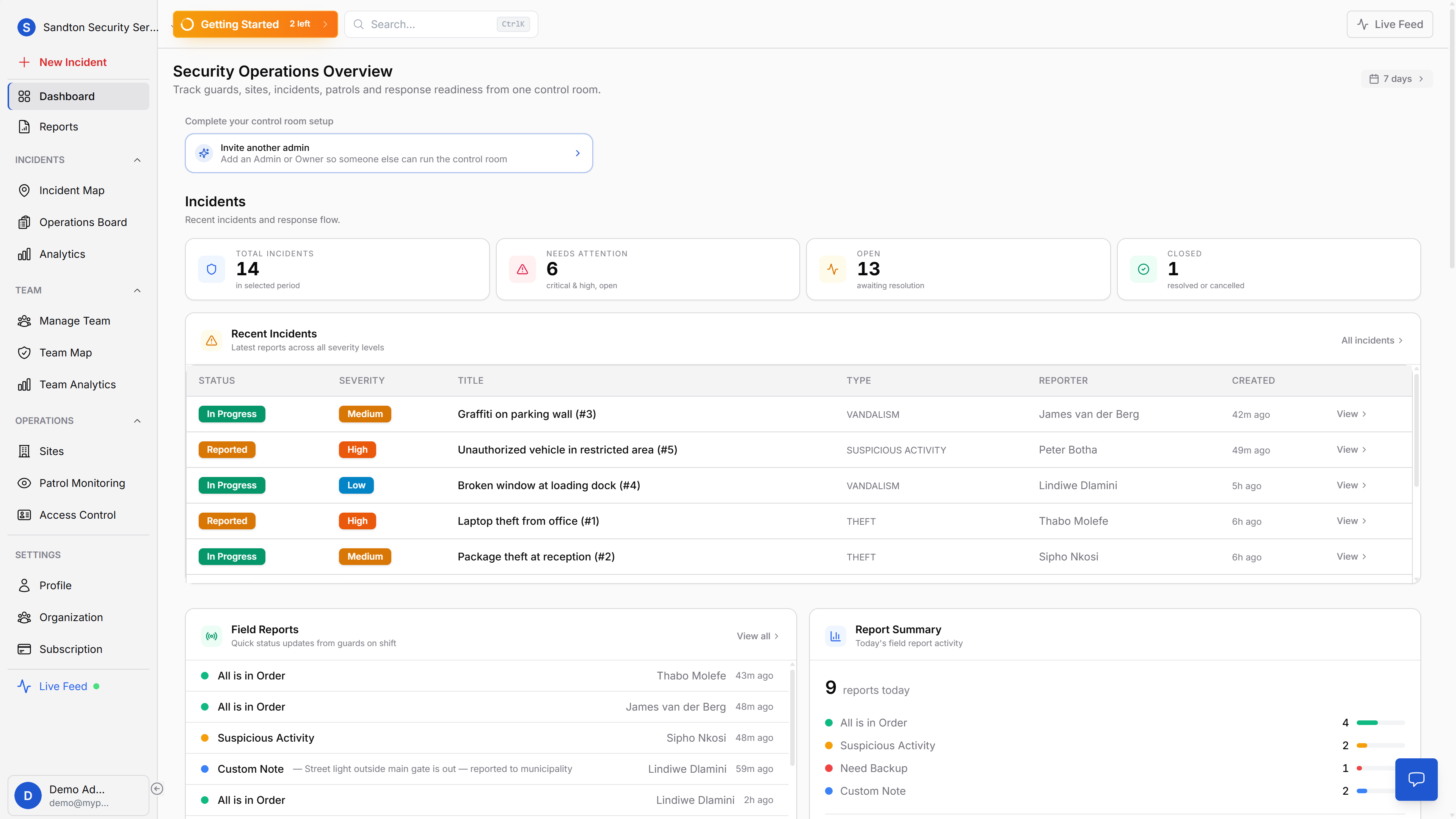
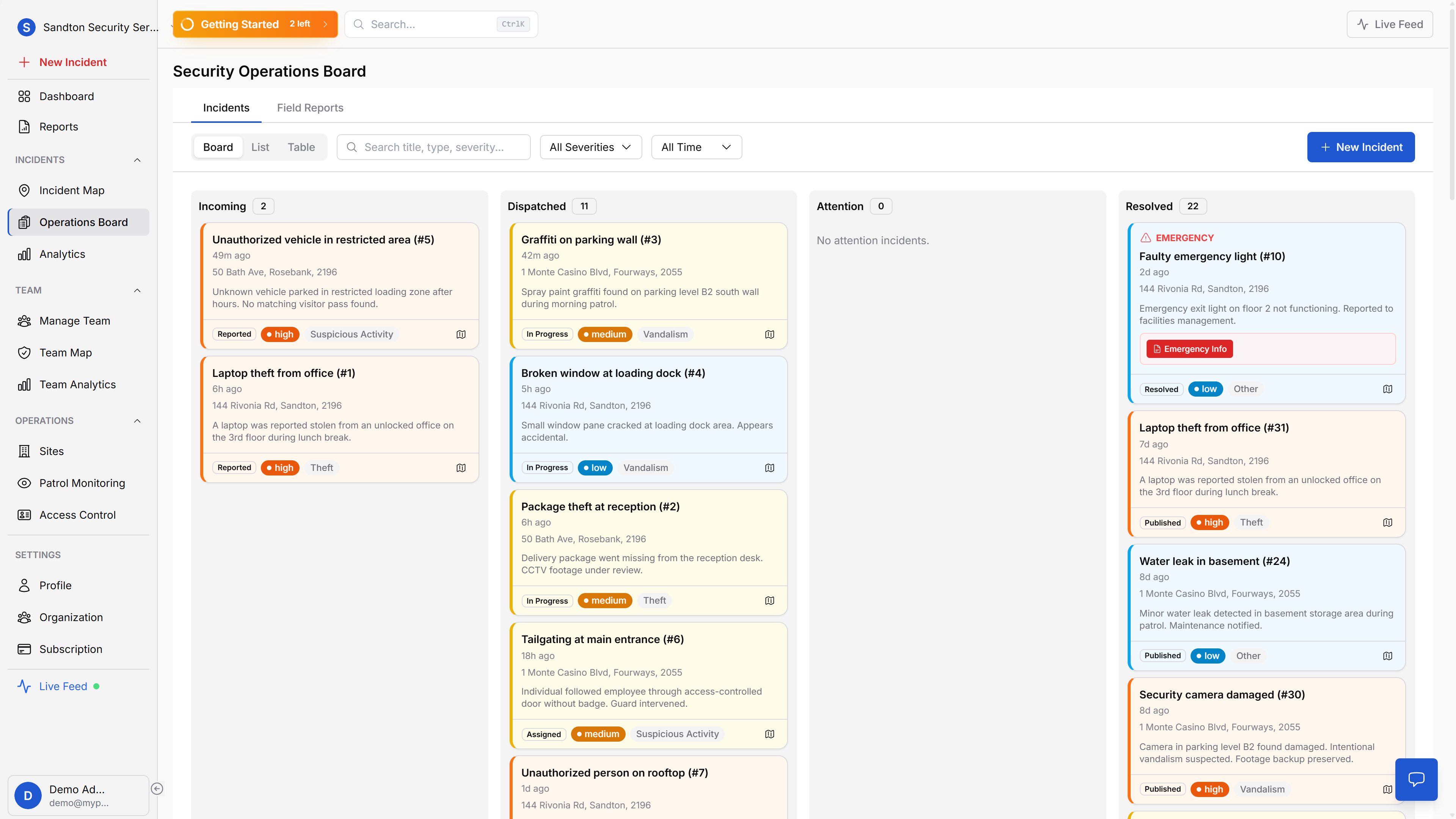
Emergency alerts land on the operations board, alongside every other active incident. Four Kanban columns mirror how control rooms actually work: Incoming alerts that need attention, Dispatched incidents with guards assigned, Attention for situations needing escalation, and Resolved for completed cases. Every status change is timestamped with the responsible person.
Guards can also report 21 incident types beyond emergencies, from theft and trespassing to medical emergencies and noise complaints. Each report captures GPS coordinates, photos, and severity level (low, medium, high, critical).
Guard assignment from the map
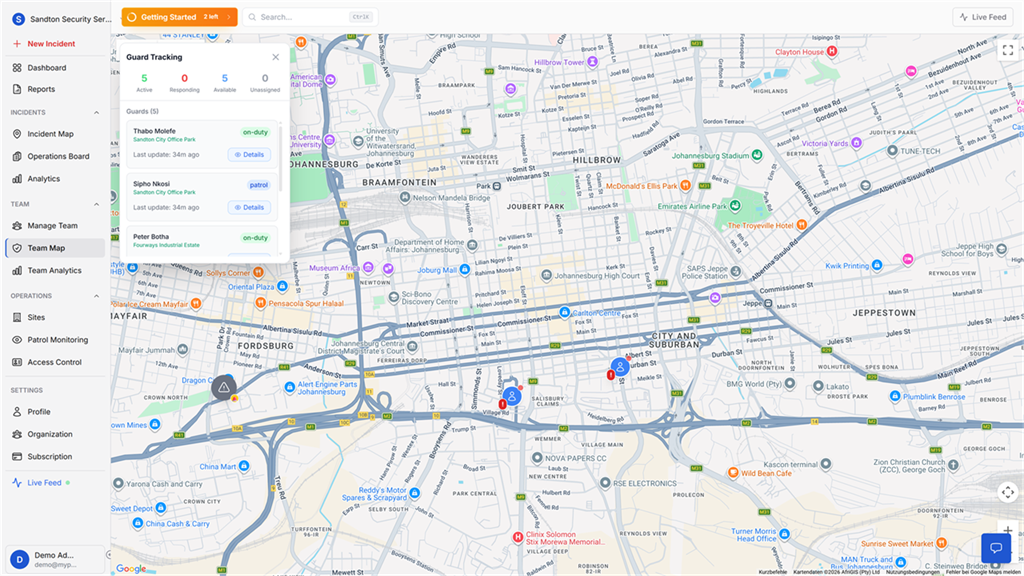
When a panic alert arrives, your admin opens the guard tracking map and sees which guards are nearest to the incident. Distance is shown as an aid. The admin selects a guard and assigns them manually. This is a deliberate design choice, your experienced operator makes the assignment decision, not an algorithm that doesn't understand your sites or your team.
 Click to expand
Guards and clients use the same emergency system
Emergency response is not web-only. Guards receive assignments on the mobile app, and client users can trigger enabled emergency workflows from the same platform with role-based visibility and controls.
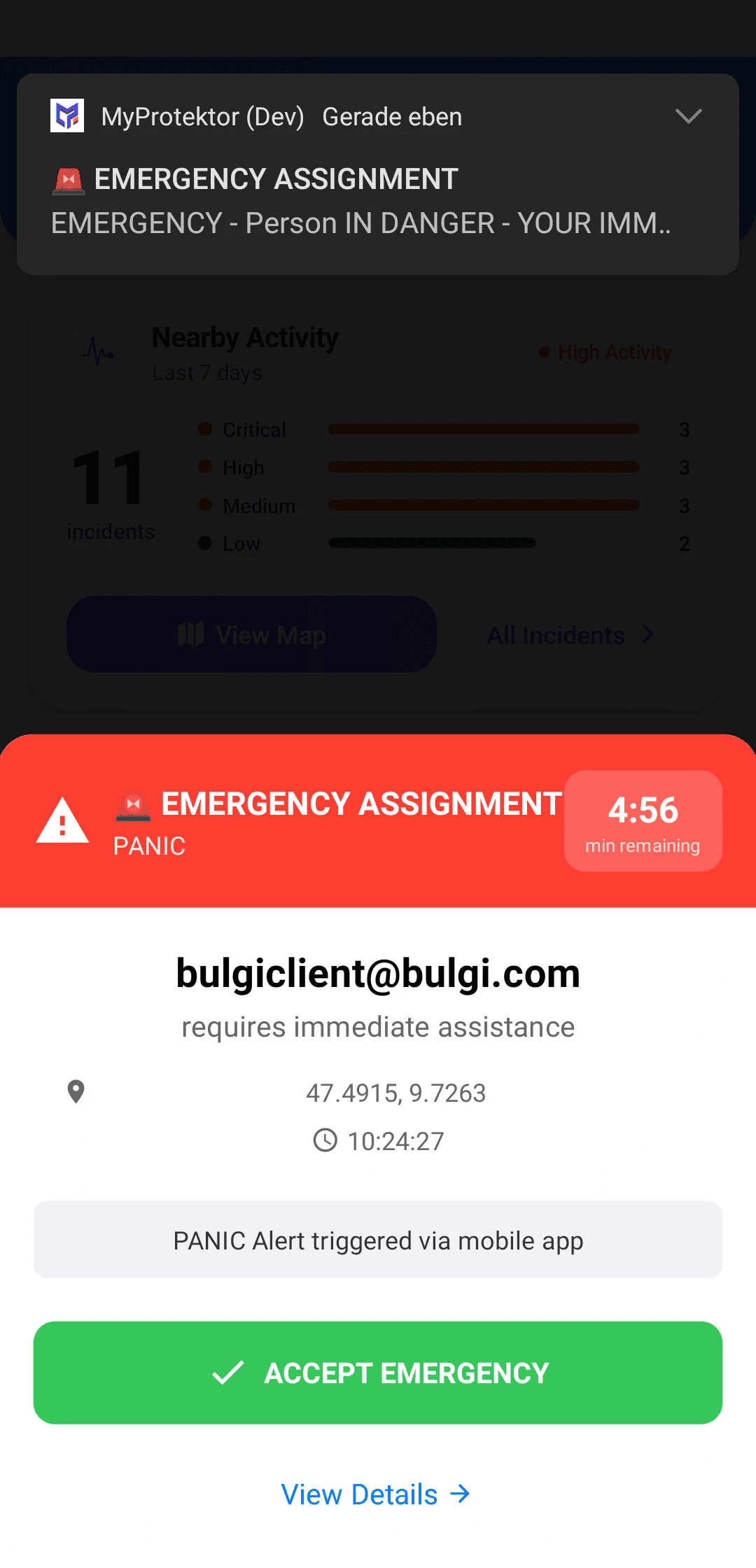
When control room staff assign a responder, the guard gets a clear mobile alert immediately instead of relying on a call chain or WhatsApp message.
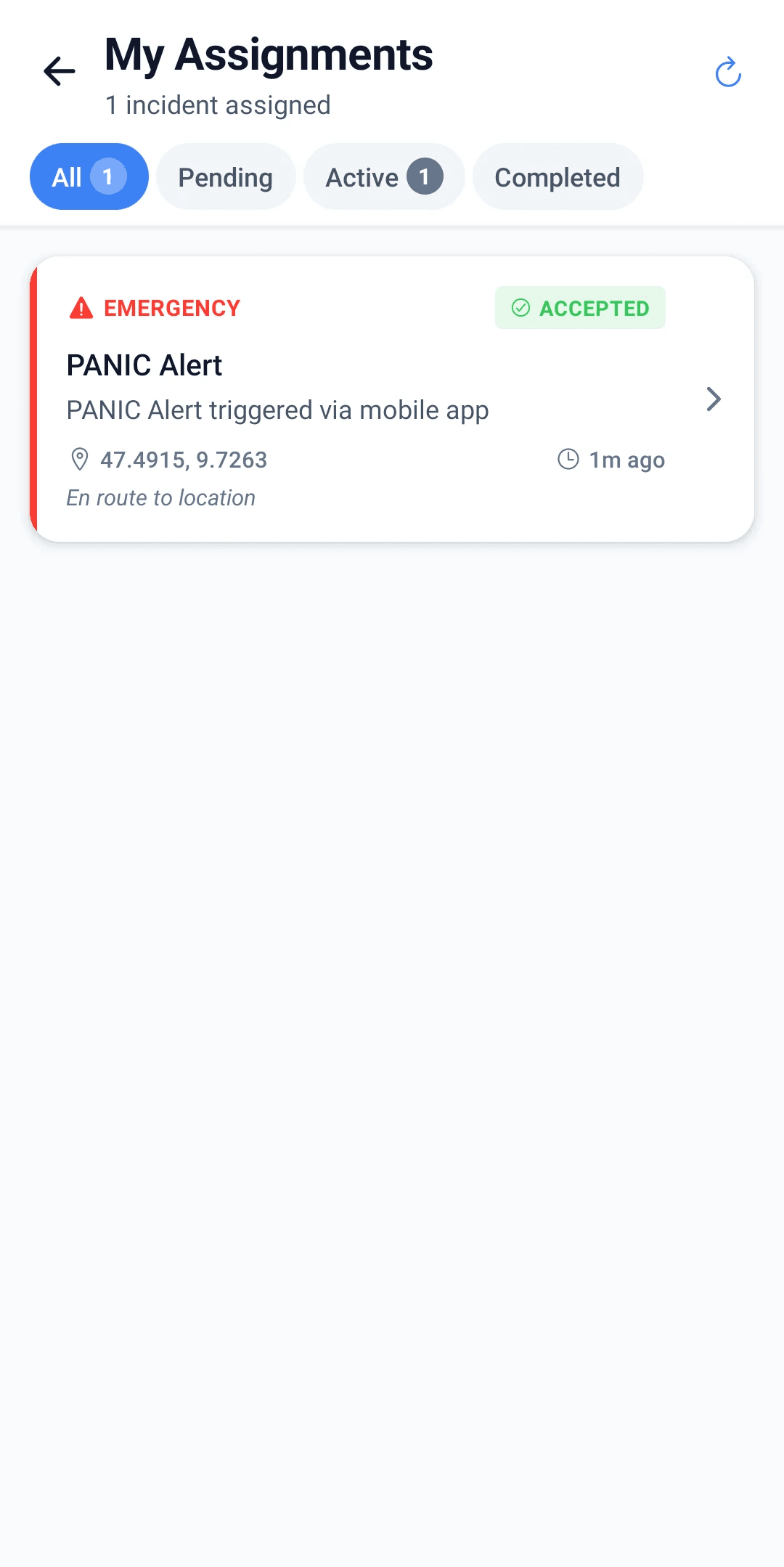
The guard then sees the assignment context on the phone: what happened, where it happened, and what needs to happen next.
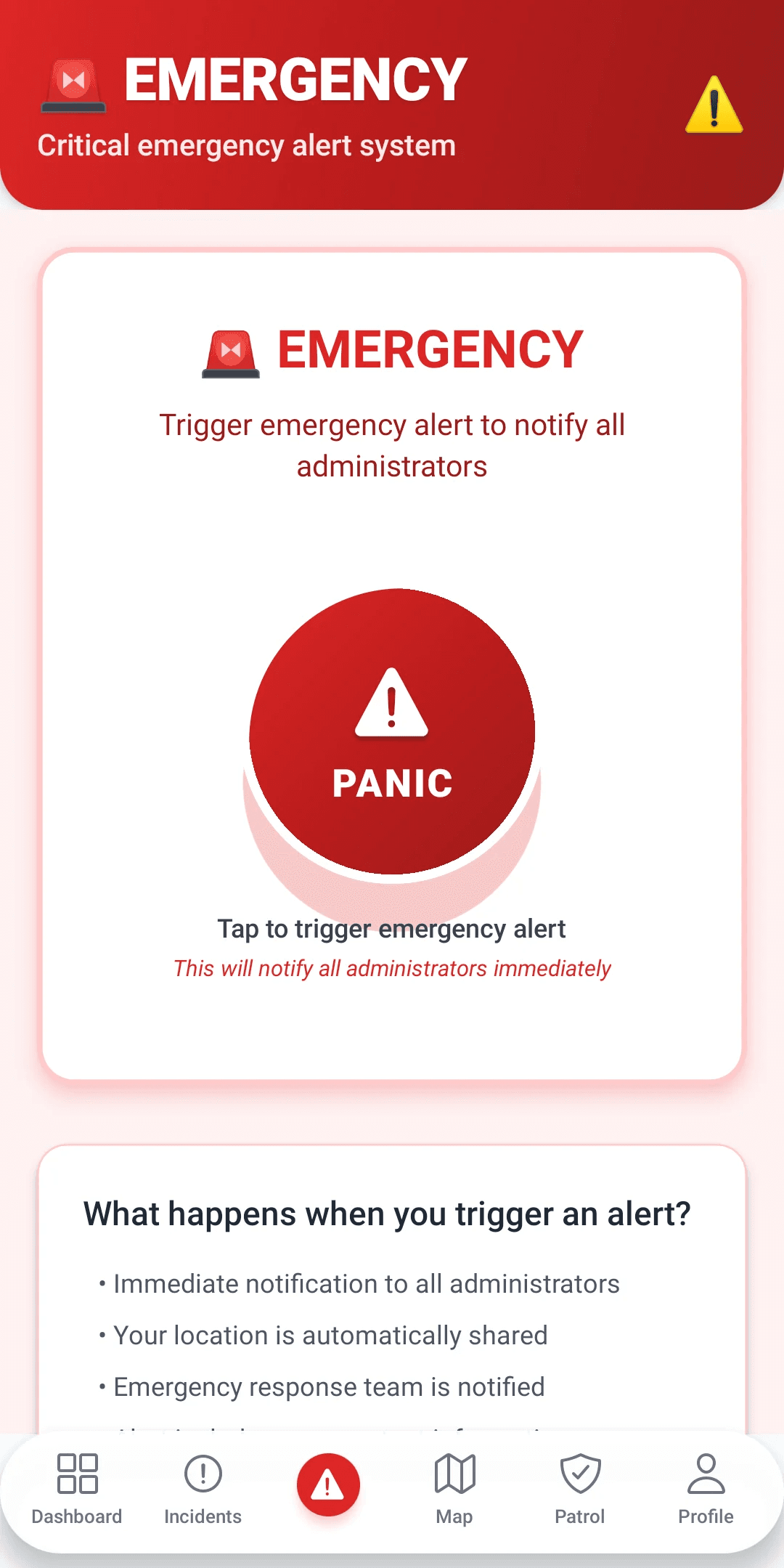
Client users use the same emergency infrastructure when the security company enables it. Their alert reaches the same control room workflow with GPS context and identity attached.
Why this matters for your business
Response time becomes measurable. The system logs two timestamps: when the alert was triggered and when it was acknowledged. That's the number clients and insurers always ask for, and now you have it documented automatically. The guard tracking map shows who responded, from where, and how long it took to get there.
The full incident lifecycle is traceable. From the first report through assignment, investigation, and resolution, every step is recorded with who did what and when. No more reconstructing events from memory after the fact.
21 incident types cover real operations. Theft, robbery, burglary, vandalism, trespassing, assault, medical emergency, fire, suspicious activity, your guards categorise accurately at the point of reporting, not after the shift when details get fuzzy.
Getting started
Same app, same phone. Guards and clients tap one button. No special hardware, no training beyond "tap here if there's an emergency." Panic alerts work on all plans, it's a core feature, not a premium add-on.
The panic button is a single tap, not continuous background tracking, so battery impact is negligible. If signal drops at the moment of the alert, the panic queues locally and sends the moment connectivity returns, the GPS coordinates captured at the time of the tap are preserved. Once the emergency is handled, the full incident lifecycle, from alert through resolution, is managed on your control room dashboard.
For step-by-step guidance on managing incidents, see the Operations Board documentation and Incident Map documentation.