For South African security companies, GPS guard tracking turns patrol coverage, guard accountability, and client disputes into timestamped location evidence instead of WhatsApp follow-ups.
The phone call you dread on Monday morning
A property manager rings your office. "My tenants say they didn't see a guard all weekend. Were your people actually there?"
You know the guards were on site. You're fairly sure. But you have no way to prove it. The patrol book might have entries, or it might not. Even if it does, anyone could have written those times in advance. You end up calling the shift supervisor, who calls the guard, who says "yes, I was there." The property manager doesn't buy it.
This is the accountability gap that costs security firms real money. Not because guards aren't doing their jobs, but because there's no verifiable proof that they did.
How MyProtektor handles it
Live guard positions on one map
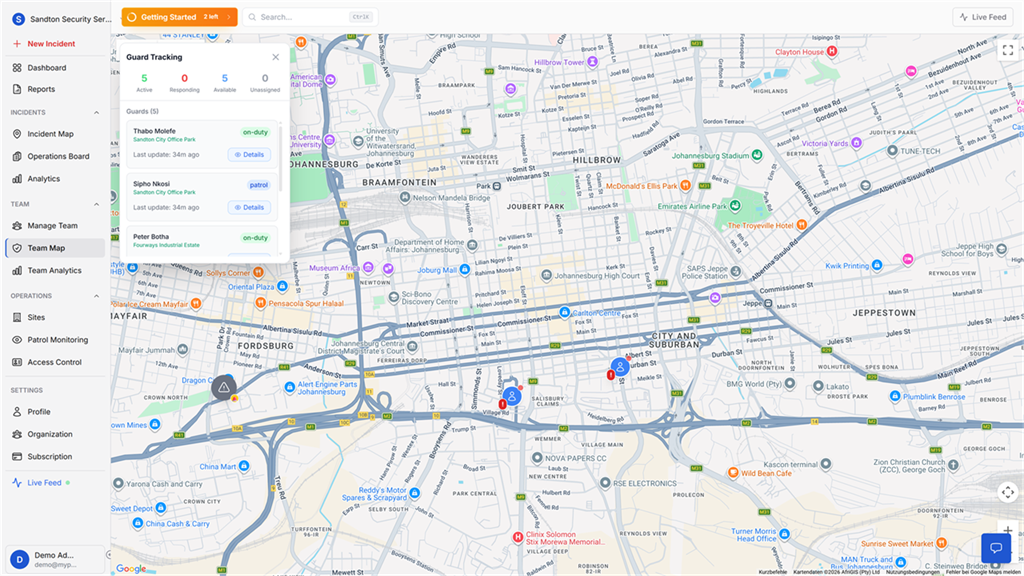
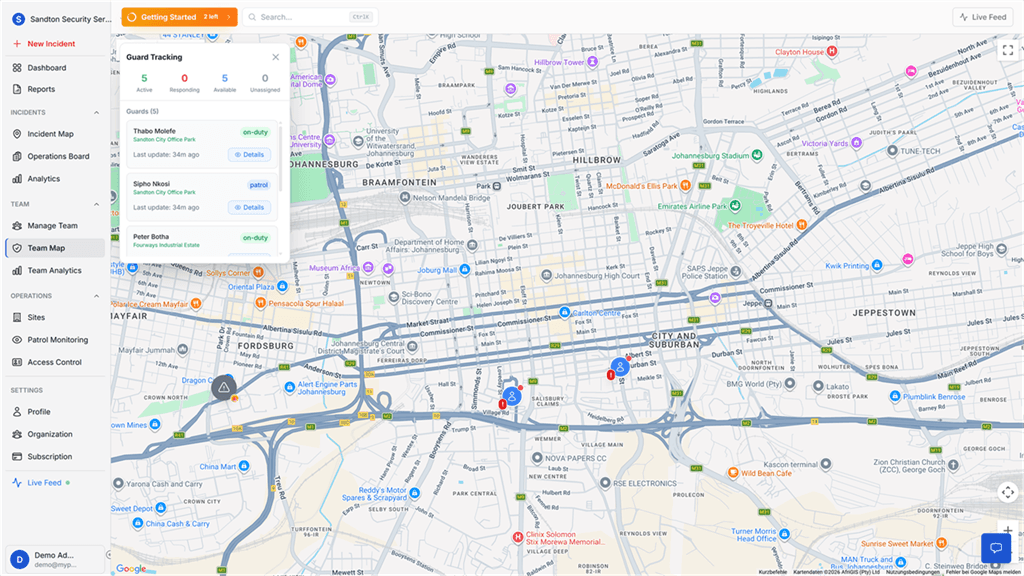
The Guard Tracking Map shows every guard's real-time position on Google Maps. A sidebar displays four status metrics, Active, Responding, Available, and Unassigned, so you can assess operational capacity at a glance. Each guard appears as a card with their name, current status, and time since last GPS update. If a guard's device goes silent, you see it immediately.
 Click to expand
Live map and historical proof work together
Guard tracking is useful because it combines live visibility with historical evidence. You can see where people are now, and later prove where they were during a specific shift.
 Click to expand
The live team map shows active guards, site context, and current operational status at a glance.
 Click to expand
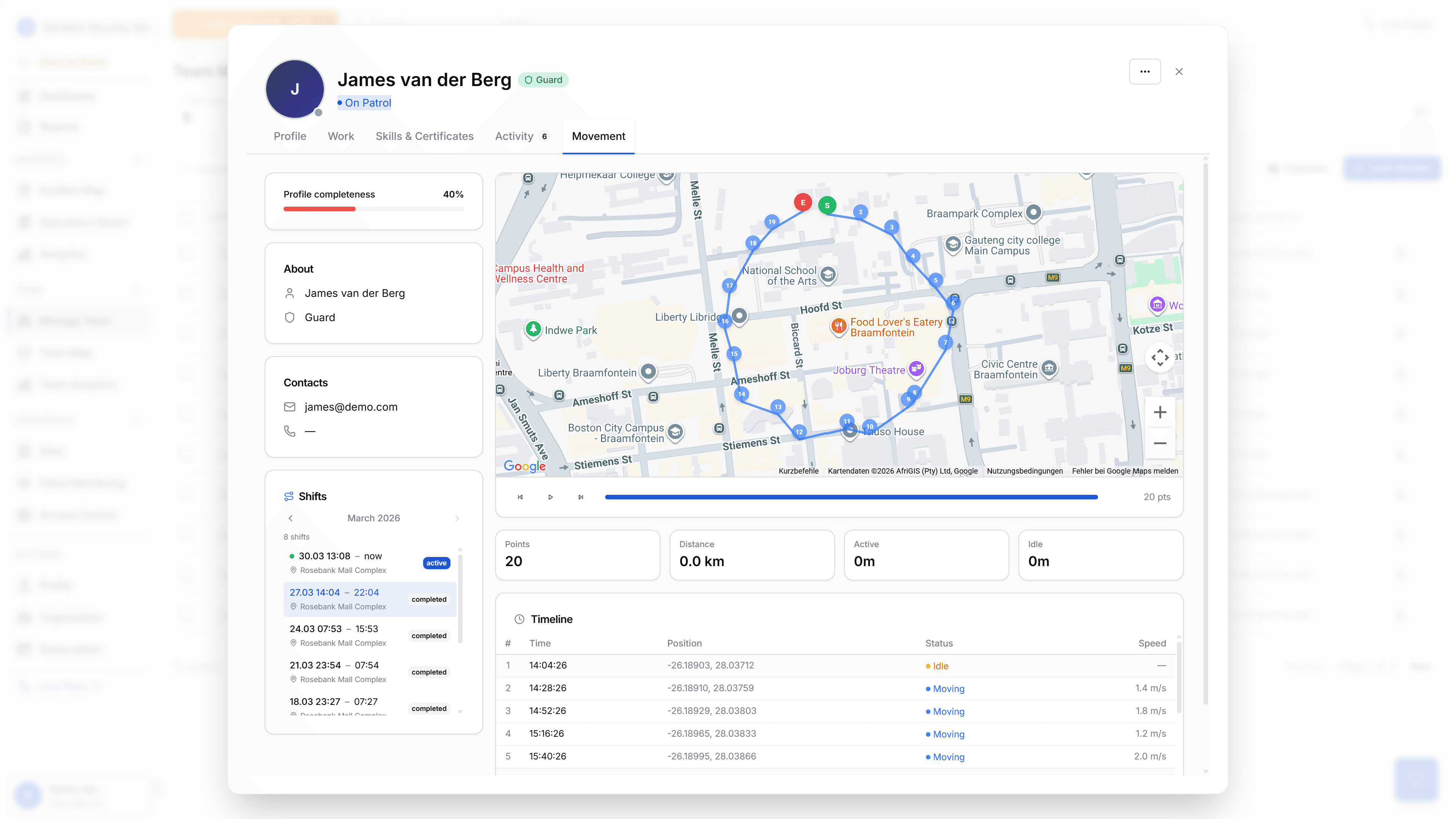
Movement history then turns that live data into audit evidence. This is the screen you open when a client asks for proof.
Movement history for every shift
Select a guard and a specific shift, and you see exactly where they went. A route polyline connects every recorded GPS point, with start and end markers. Four stats summarise the shift: total GPS points, distance covered, active time, and idle time. Playback controls let you step through the route and watch the shift unfold on the map.
This is the evidence layer. When a client asks whether guards were on site, you show them the route, timestamps, distance, and all.
Battery-adaptive GPS intervals
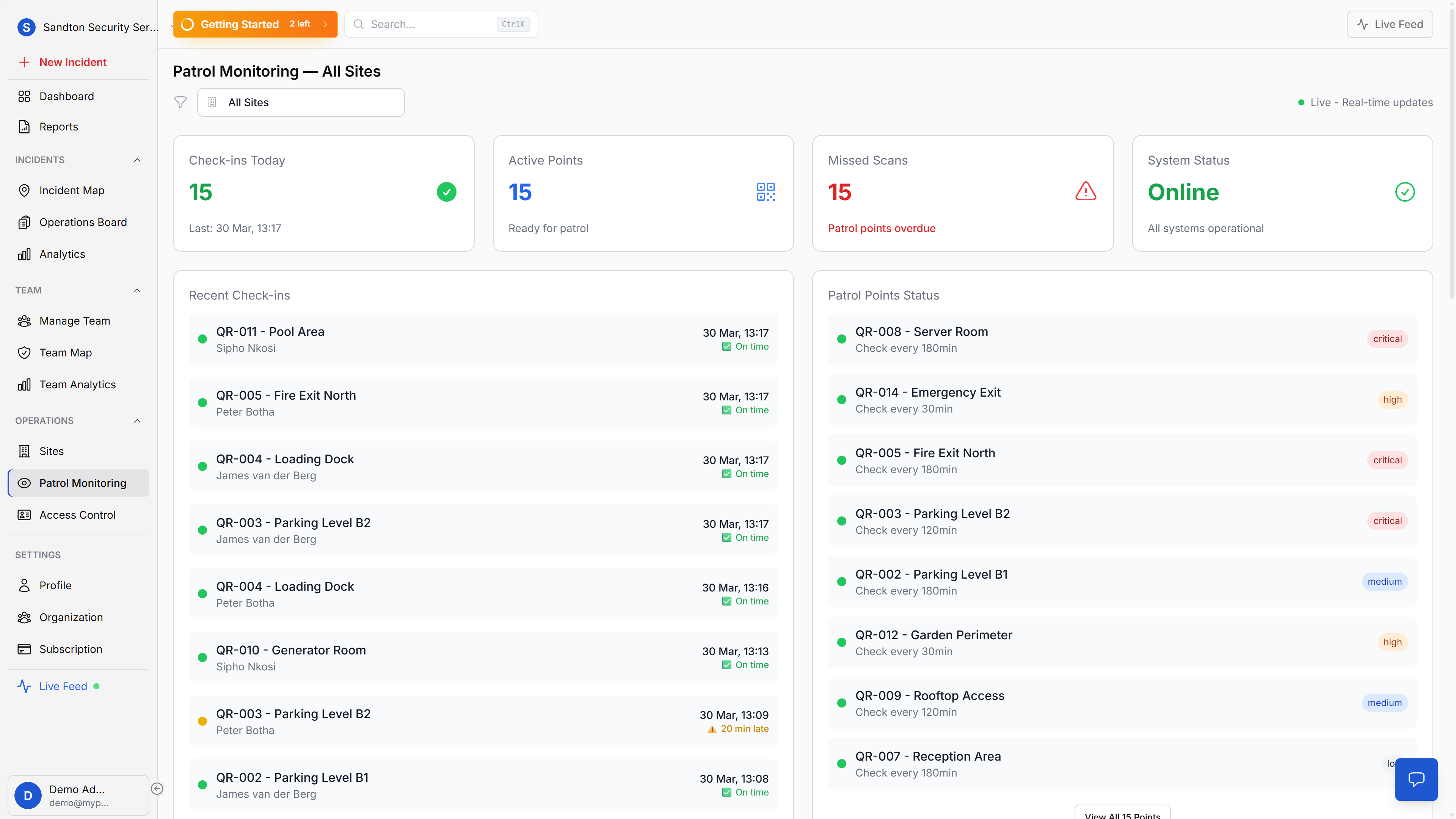
GPS tracking adjusts frequency based on battery level. More frequent updates when the phone is charging or above 50%, less frequent when battery drops below 20%. Guards can complete a full shift, even a long one, without the app killing their phone. No dedicated GPS trackers needed.
Offline detection
A server-side function checks every 30 minutes for guards whose GPS data has gone stale. If a guard's phone dies, loses signal, or the app gets killed by the operating system, the system flags them as offline with the exact time of last contact. You can act on it before the client notices.
Why this matters for your business
Disputes die on arrival. When a client questions guard presence, pull up the movement history for that shift. The route, the timestamps, the distance, the conversation moves from "were they there?" to "what should we focus on next?"
Guards are protected too. A guard who did their job has data to back it up. If a resident claims they "never saw anyone," the GPS data shows the guard was walking the perimeter at 3 AM.
Problems surface early. Offline detection means you catch a dead phone or lost signal during the shift, not the next morning when the client calls. And when a panic alert fires, the same GPS system shows your admin which guards are nearest, so assignment decisions happen in seconds, not minutes.
Reports preserve the evidence. GPS movement history is retained for 30 days. Need to keep it longer? Generate a Guard Movement report (PDF or CSV) and archive it. Guard Reports and Performance Dashboard exports are also available for client or internal use.
No new hardware required
Everything runs on the guards' existing smartphones, Android or iOS. No dedicated GPS trackers to buy, no SIM cards to manage. The mobile app handles location tracking, battery-adaptive intervals, and offline data sync. A guard starts their shift, and tracking begins automatically. Each guard's GPS history is also accessible through their team profile, alongside their certifications, skills, and shift records.
For detailed setup instructions, see the Guard Map documentation. For battery and data impact, see Battery & Data Usage.