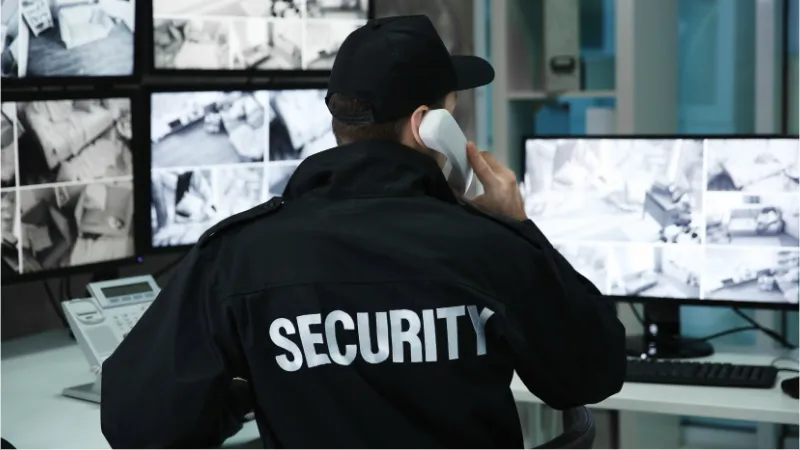
It is 02:00 on a Saturday morning. A guard patrolling a warehouse complex in Johannesburg spots forced entry at a perimeter gate. He reaches for his phone to report the breach, but the screen is cracked from last week's drop, the battery icon is blinking red, and the signal bar shows one dot. By the time he finds a radio and relays the alert, the intruders are gone.
This scenario plays out more often than it should. The device a guard carries determines how quickly they can communicate, how reliably their location is tracked, and whether patrol data reaches the control room at all. In South Africa, where environmental conditions, load shedding, and connectivity gaps add pressure to every shift, choosing the right equipment is an operational decision with real consequences.
This guide walks through every category of field technology a security company should evaluate in 2026. It covers specific devices, realistic ZAR pricing, and a framework for matching equipment to your team's actual needs.
The Foundation: Why Standard Phones Fail in the Field
 Click to expand
Consumer smartphones are designed for pockets, coffee shops, and desk drawers. Security work demands something fundamentally different. A guard's device needs to survive rain, dust, concrete drops, and 12-hour shifts without a charge, conditions that destroy standard handsets within weeks.
Three specifications separate field-grade devices from consumer models:
- IP68/IP69K rating: Full dust seal and protection against submersion in water. An IP69K rating adds resistance to high-pressure water jets, relevant for guards posted at car washes, industrial sites, or outdoor locations during heavy rain.
- MIL-STD-810H certification: The US military's environmental testing standard. Devices rated to this spec have been tested for drops (typically 1.5 m onto concrete), vibration, extreme temperatures, and humidity. It is the closest thing to a durability promise the market offers.
- Battery capacity above 8 000 mAh: GPS tracking, push-to-talk communication, and background app sync drain batteries fast. A guard running these features for 10+ hours needs a battery that can keep pace. Below 8 000 mAh, mid-shift charging becomes likely, and charging stations are rarely available on patrol routes.
What happens when companies skip rugged devices:
- Cracked screens within the first month, leading to repeated replacement costs
- Guards switching off GPS tracking to conserve battery, creating blind spots for the control room
- Devices failing during emergencies, exactly when reliable communication matters most
The upfront cost of a rugged smartphone is higher than a consumer model, but the total cost of ownership over 12 months is typically lower when you factor in replacements, downtime, and lost data.
Recommended Devices for SA Security Teams (2026)
Three handsets stand out for the South African security market in 2026, each suited to different deployment scenarios and budgets.
Oukitel WP36
The WP36 is built for extended outdoor shifts. Its 10 600 mAh battery is among the largest available in the rugged category, supporting two full days of moderate use or a complete 12-hour shift with heavy GPS and PTT activity. It carries IP68 and MIL-STD-810H ratings, and the screen is readable in direct sunlight.
Best for: Perimeter patrols, industrial sites, night shifts, rural deployments where charging access is limited.
Estimated price: R3 000 – R4 500
Blackview BV9300
The BV9300 offers tight GPS accuracy and a responsive interface. Its antenna design performs well in areas with inconsistent signal, townships, underground parking, and semi-rural zones where weaker radios drop out. The battery sits at 15 080 mAh, which is exceptional.
Best for: Teams that rely heavily on real-time GPS tracking and need consistent connectivity across mixed-signal environments.
Estimated price: R4 000 – R5 500
Samsung Galaxy A15
Not rugged by design, but relevant for lower-risk indoor assignments. The A15 runs all major security apps smoothly, costs a fraction of purpose-built rugged devices, and pairs well with a protective case for light-duty environments. It is a practical option for concierge desks, reception areas, and corporate lobby posts.
Best for: Indoor assignments, access control points, and budget-conscious deployments where physical durability is less critical.
Estimated price: R3 000 – R4 000
| Feature | Oukitel WP36 | Blackview BV9300 | Samsung A15 |
|---|---|---|---|
| IP Rating | IP68 | IP68/IP69K | None (use protective case) |
| MIL-STD-810H | Yes | Yes | No |
| Battery | 10 600 mAh | 15 080 mAh | 5 000 mAh |
| GPS Performance | Good | Strong (enhanced antenna) | Standard |
| Sunlight Display | Yes | Yes | Limited |
| Best Use Case | Outdoor patrols, harsh conditions | GPS-heavy tracking, mixed signal areas | Indoor posts, budget deployments |
| Price Range (ZAR) | R3 000 – R4 500 | R4 000 – R5 500 | R3 000 – R4 000 |
Communication: Push-to-Talk vs Traditional Radios
 Click to expand
Two-way analogue radios have served the security industry for decades. They are simple, require no data plan, and deliver immediate voice contact within their frequency range. However, they transmit voice only, no data, no location, no text, and no integration with digital management systems.
Push-to-Talk (PTT) apps running on rugged smartphones have largely replaced traditional radios in forward-looking security operations. A single device handles voice communication, text messaging, GPS position sharing, and emergency alerts. The communication channel connects directly to management platforms, meaning every transmission carries context that a standalone radio cannot provide.
Key advantages of PTT over cellular:
- Range: Operates over 4G/5G networks, removing the distance limitations of analogue radio
- Data alongside voice: Every PTT transmission can carry location coordinates and device status
- Channel management: Create site-specific, shift-specific, or role-specific groups without additional hardware
- Cost reduction: Eliminates the need for a separate radio unit per guard
When traditional radios still make sense:
- Remote sites with zero cellular coverage (mining operations, deep rural areas)
- Backup communication during extended network outages or load shedding
- Environments where smartphone use is restricted by contract or regulation
Practical tip: Many security companies maintain a small stock of analogue radios as backup for network-down scenarios while running PTT as the primary communication channel. This hybrid approach covers both normal operations and edge cases.
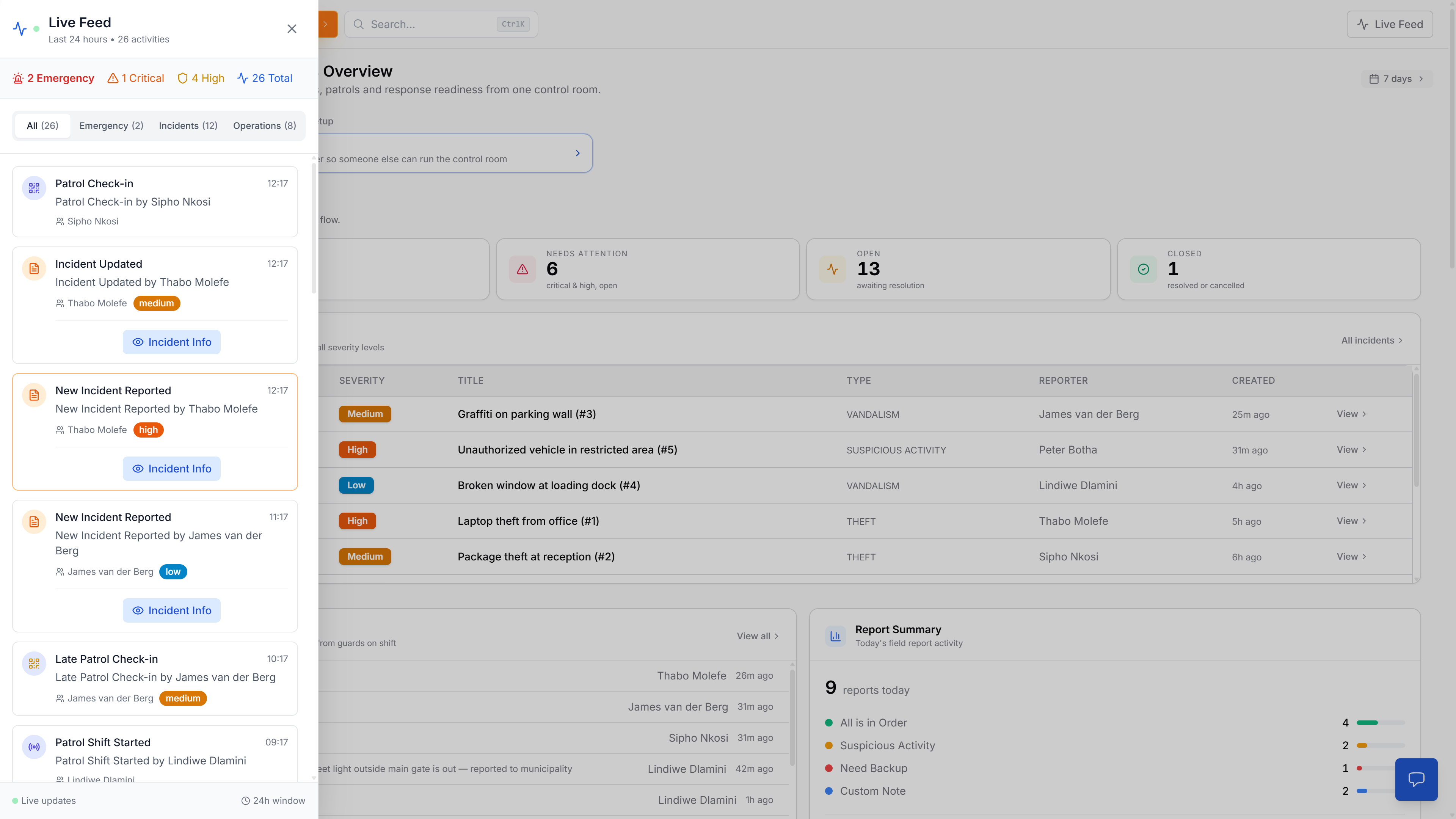
Platforms like MyProtektor integrate GPS tracking, incident management, and panic alerts into a single interface, so location awareness and emergency communication operate through one device instead of separate systems.
Patrol Verification: QR Codes and Checkpoint Technology
Patrol accountability depends on proving that a guard physically visited a specific location at a specific time. Without verification, there is no way to distinguish a completed patrol from a missed one.
QR code checkpoints are the most cost-effective and widely adopted verification method for South African security teams. The process is straightforward:
- Generate unique QR codes through your management platform
- Print them at any local print shop, typically around R0.60 per sticker
- Mount the stickers at designated patrol points (gates, corridors, perimeters, stairwells)
- Guards scan each code with their smartphone during their route
- Each scan logs the time, date, and GPS coordinates automatically
The result is a verifiable digital record of every patrol, accessible to managers and clients in real time. Missed checkpoints and timing deviations become immediately visible.
NFC tags offer a similar function but require closer physical proximity (a few centimetres) to register a scan. They are more durable than printed QR codes and harder to photograph for fraudulent remote scanning, but they cost more per unit and require NFC-capable devices.
What to look for in a patrol verification system:
- Cryptographically signed QR codes that are designed to resist duplication or tampering
- GPS capture with each scan for audit trail (the physical QR code at the checkpoint proves presence)
- Offline capability, scans should queue locally and sync when connectivity returns
- Client reports that provide documented proof of patrol completion
MyProtektor's patrol management system supports QR-verified patrols with GPS proof, allowing managers to generate codes, assign checkpoints, and monitor completion from the dashboard.
Emergency Tools: Panic Alerts and Rapid Response
 Click to expand
When a guard faces a threat, the quality of the alert they send directly affects response time and outcome. Emergency tools fall into two broad categories.
Physical panic buttons are standalone, battery-powered devices worn on the belt or mounted at fixed positions. A single press transmits a signal. They are simple and reliable but carry no location data, no identity information, and no context about the nature of the emergency.
Smartphone-based panic systems go further. A single tap within an app can transmit the guard's GPS coordinates, identity, a timestamp, and device status directly to the control room. This level of detail helps operators see who is nearby and coordinate a response before anyone arrives on scene.
Benchmarks to evaluate:
- Location accuracy: aim for under 5 metres
- Transmission time: the alert should reach the dashboard within 5 seconds of activation
- Context richness: does the alert include the guard's name, position, and device health?
- Escalation workflow: does the system automatically notify admins when an alert is triggered?
MyProtektor's panic alert system is designed to push full-context notifications to the dashboard the moment a guard triggers one. Operators see the guard's name, map position, alert time, and device status without requiring a phone call or radio exchange.
Pricing context for standalone panic hardware:
- Dedicated panic buttons: R500 – R1 200 per unit
- Smartphone-based panic (via app): included in the platform subscription, no additional hardware required
Incident Reporting: From the Scene to the Dashboard
 Click to expand
Field data has value only when it reaches decision-makers quickly and in a structured format. Handwritten reports and voice-note summaries lose information, lack verifiable timestamps, and create no searchable record.
Digital incident reporting through a mobile app allows guards to file structured reports from the scene. Each report can include:
- Photographs captured on the device
- A written description of the incident
- Automatic GPS coordinates and a precise submission timestamp
- Category tags for filtering and trend analysis
Reports sync to the control room dashboard and, where configured, to clients through role-based access. This creates an auditable chain of events, from the moment an incident is observed to the moment it is reviewed by management.
What good reporting software should support:
- Offline report drafting with automatic sync when connectivity returns
- Mandatory fields that help standardise report quality across guards
- Media attachments (photos) tied directly to the report record
- Export capability for client reporting, insurance claims, and PSIRA compliance
GPS Tracking: Real-Time Visibility for Control Rooms
 Click to expand
A control room that cannot see where its guards are positioned is operating on assumptions. Live GPS tracking has become a baseline expectation for professional security operations and an increasingly common contractual requirement from clients.
Three tracking approaches, each with trade-offs:
| Approach | Strengths | Limitations |
|---|---|---|
| GPS Watches | Lightweight, always on the wrist | Short battery life, no communication or reporting features |
| Rugged Smartphones | Full tracking plus reporting, comms, and patrol verification | Requires consistent charging and rugged protection |
| Dedicated GPS Units | Extremely durable, long battery life | Single-function only; adds another device to manage |
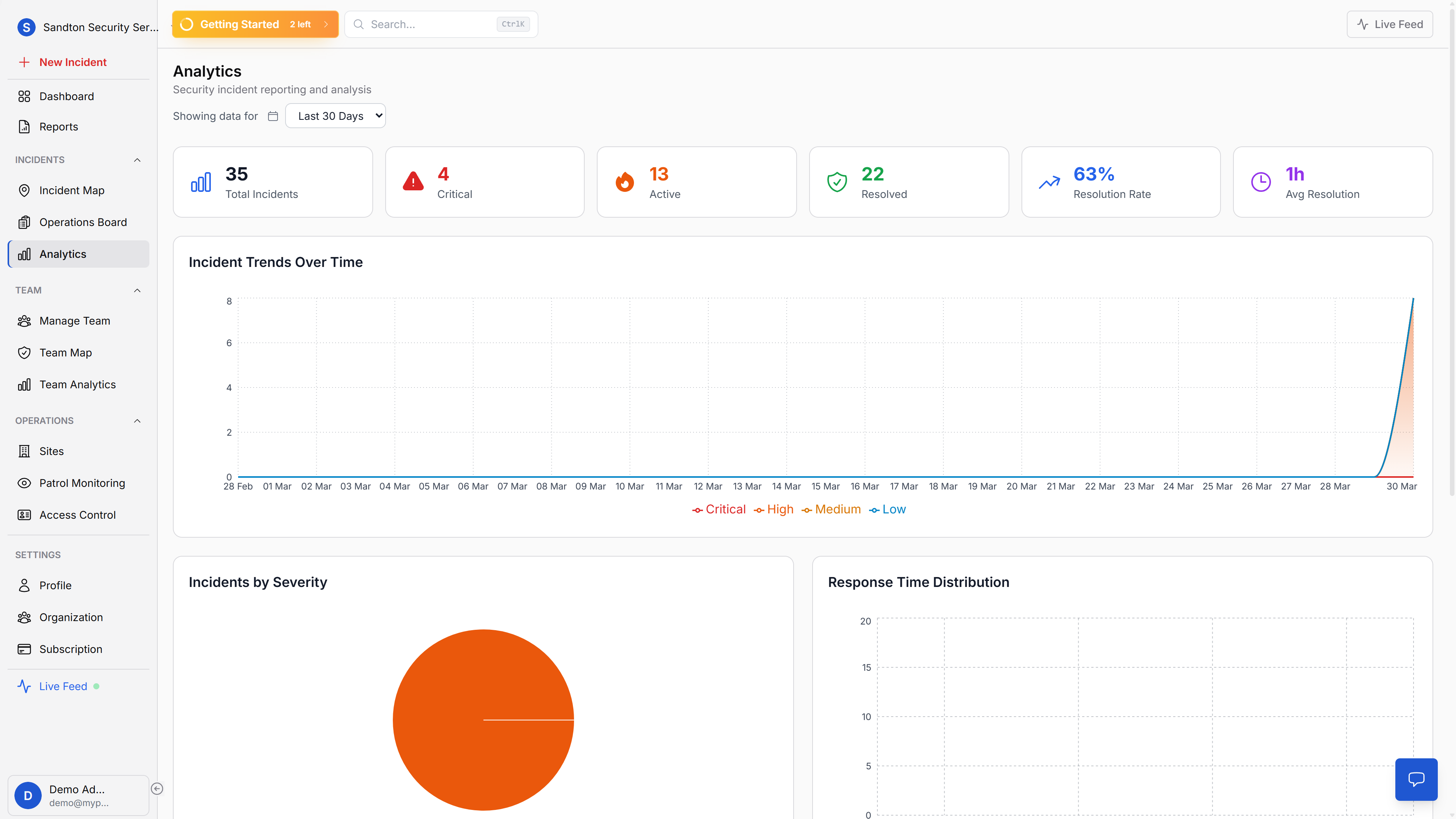
The most efficient approach for most teams is to run GPS tracking as part of a broader management platform on the guard's primary smartphone. This avoids the cost and complexity of separate tracking hardware while delivering location data alongside patrol scans, incident reports, and communication logs.
MyProtektor's GPS tracking feature displays live guard positions on a map within the control room dashboard. Managers can monitor shift coverage, identify gaps, and respond to location-based alerts from a single screen.
Buying Decision Framework: Matching Equipment to Your Operation
The right equipment depends on what your guards face daily. Site type, shift duration, threat level, client reporting requirements, and budget all shape the decision. The table below provides a starting point for matching gear to operational needs.
| Team Size | Priority Equipment | Recommended Devices | Monthly Budget Estimate (ZAR) |
|---|---|---|---|
| 1–10 guards | Rugged phone, GPS tracking, QR patrol, incident app | Samsung A15 (indoor) or Oukitel WP36 (outdoor) | R150 – R300/guard (platform + data) |
| 11–30 guards | Above + PTT communication, panic alerts, shift tracking | Oukitel WP36 or Blackview BV9300 | R200 – R400/guard |
| 31–100 guards | Above + control room dashboard, client reporting, body cameras | Blackview BV9300 + dedicated body cam | R250 – R500/guard |
Decision checklist before purchasing:
- What is the primary deployment environment? Indoor sites can use budget devices; outdoor patrols need MIL-STD-810H and IP68 minimum.
- How long are guard shifts? Anything over 8 hours with GPS active demands batteries above 8 000 mAh.
- What connectivity is available on site? If cellular coverage is unreliable, prioritise devices with strong antenna performance and ensure your software supports offline mode.
- What do your client contracts require? If patrol proof and incident documentation are contractual obligations, QR verification and digital reporting move from optional to mandatory.
- What is the total cost of ownership? A R4 000 rugged phone that lasts 18 months costs less per month than a R2 500 consumer phone replaced every 4 months.
Bringing It Together
Individual pieces of equipment, a phone here, a panic button there, a GPS tracker on the belt, generate fragmented data that arrives late or not at all. The operational advantage comes from consolidation: a single rugged device running a single platform that handles communication, patrol verification, panic alerts, incident reporting, and GPS tracking within one system.
That consolidation is what MyProtektor is designed to provide. It aims to turn a compatible Android smartphone into a connected guard management tool that feeds real-time data to a control room dashboard.
Ready to evaluate your options? Explore mobile reporting and panic alerts or review pricing plans to find the right fit for your team.
More platform capabilities:
- GPS Tracking Software for Security Guards, live guard locations on a single map
- Patrol Management Software, QR-verified routes with GPS proof
- Shift and Duty Management, track who is on duty at all times
- Best Security Guard Management Software for Small Businesses, full platform overview
Questions? Reach us at info@myprotektor.co.za